OpenClaw. One Click.
Free download. Installs the official, unmodified OpenClaw — safe and verified.
Built-in free LLM — chat directly, no API key needed.
v0.2.0 // Windows 10+ & macOS 12+ // Official OpenClaw // Free LLM built-in
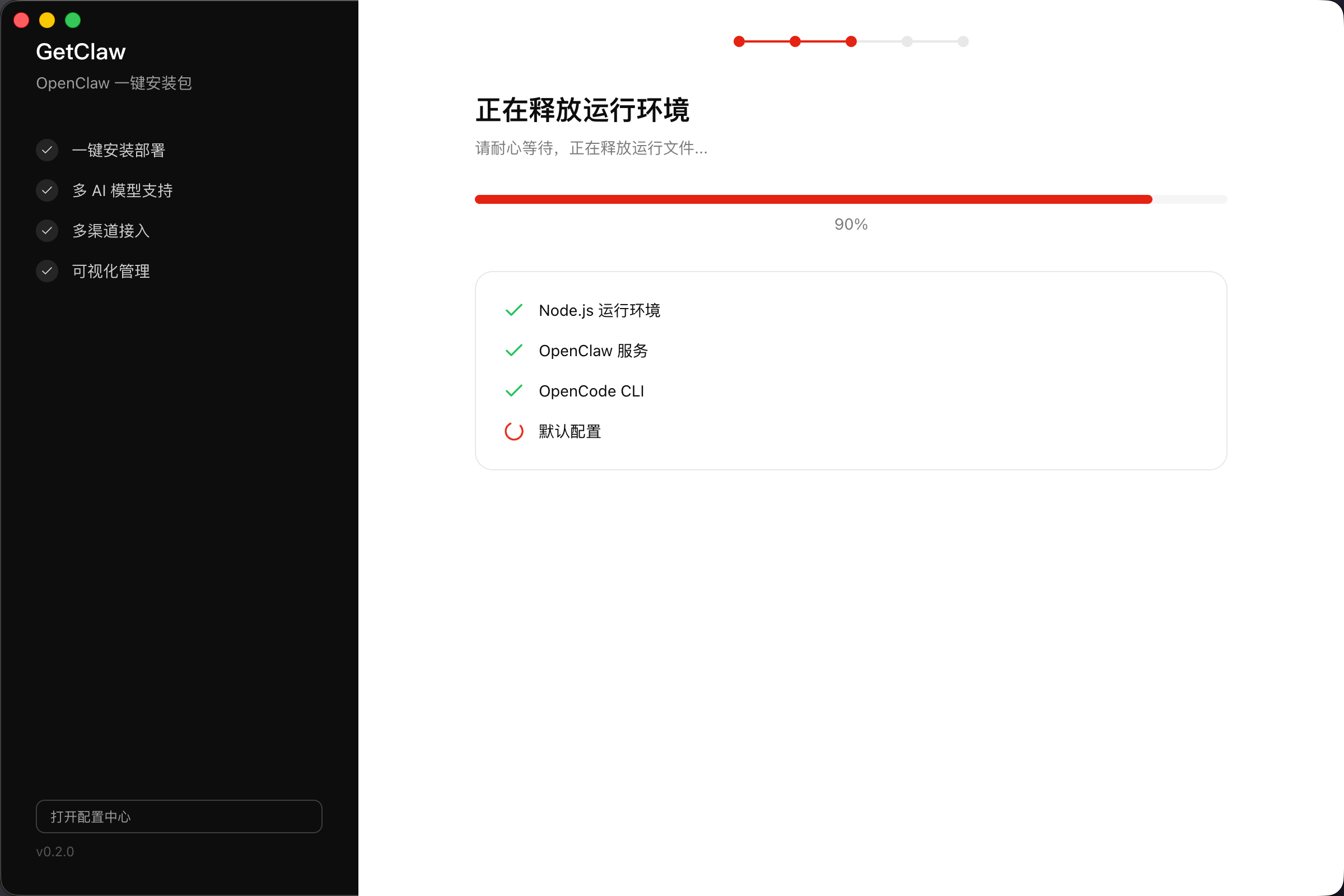
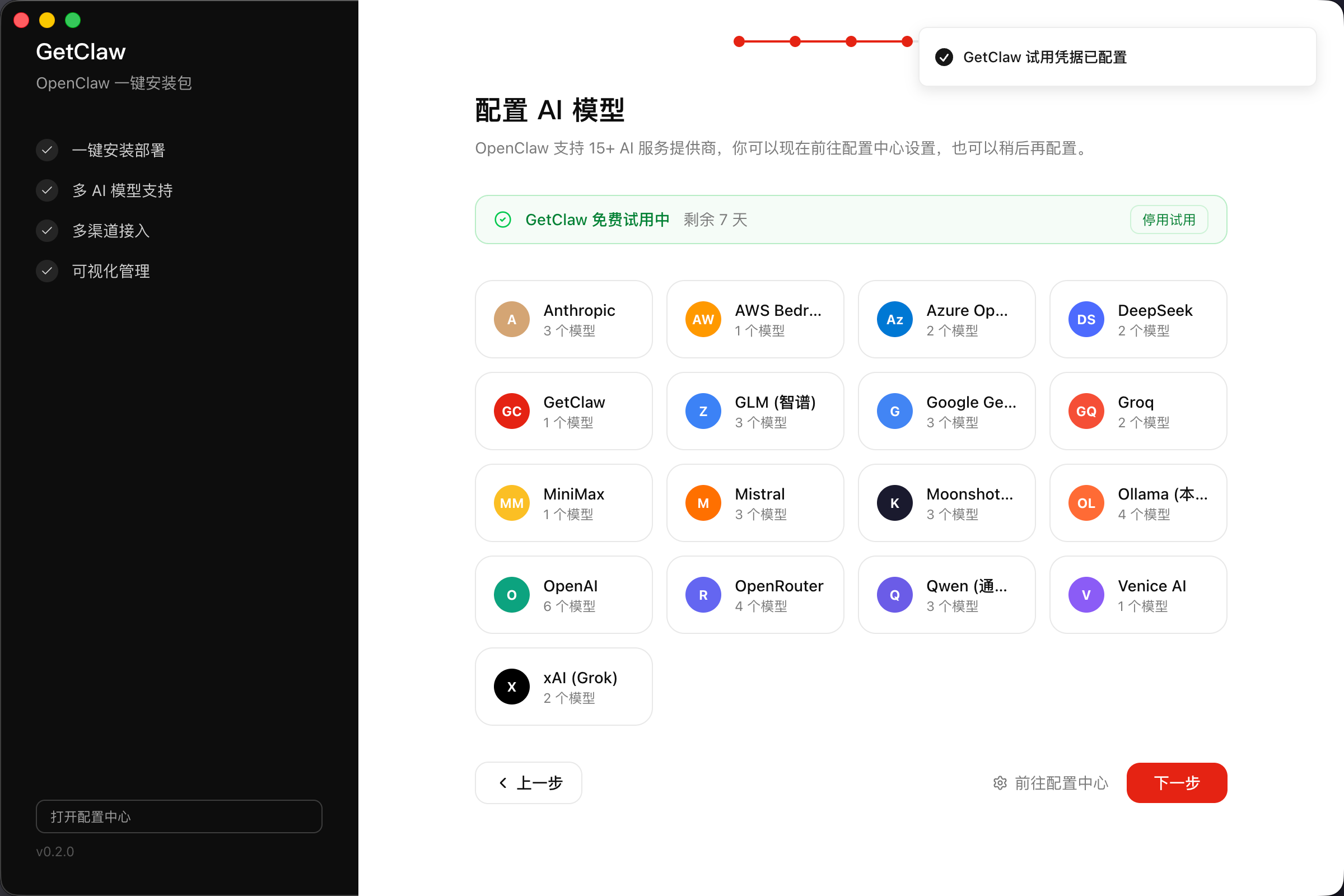
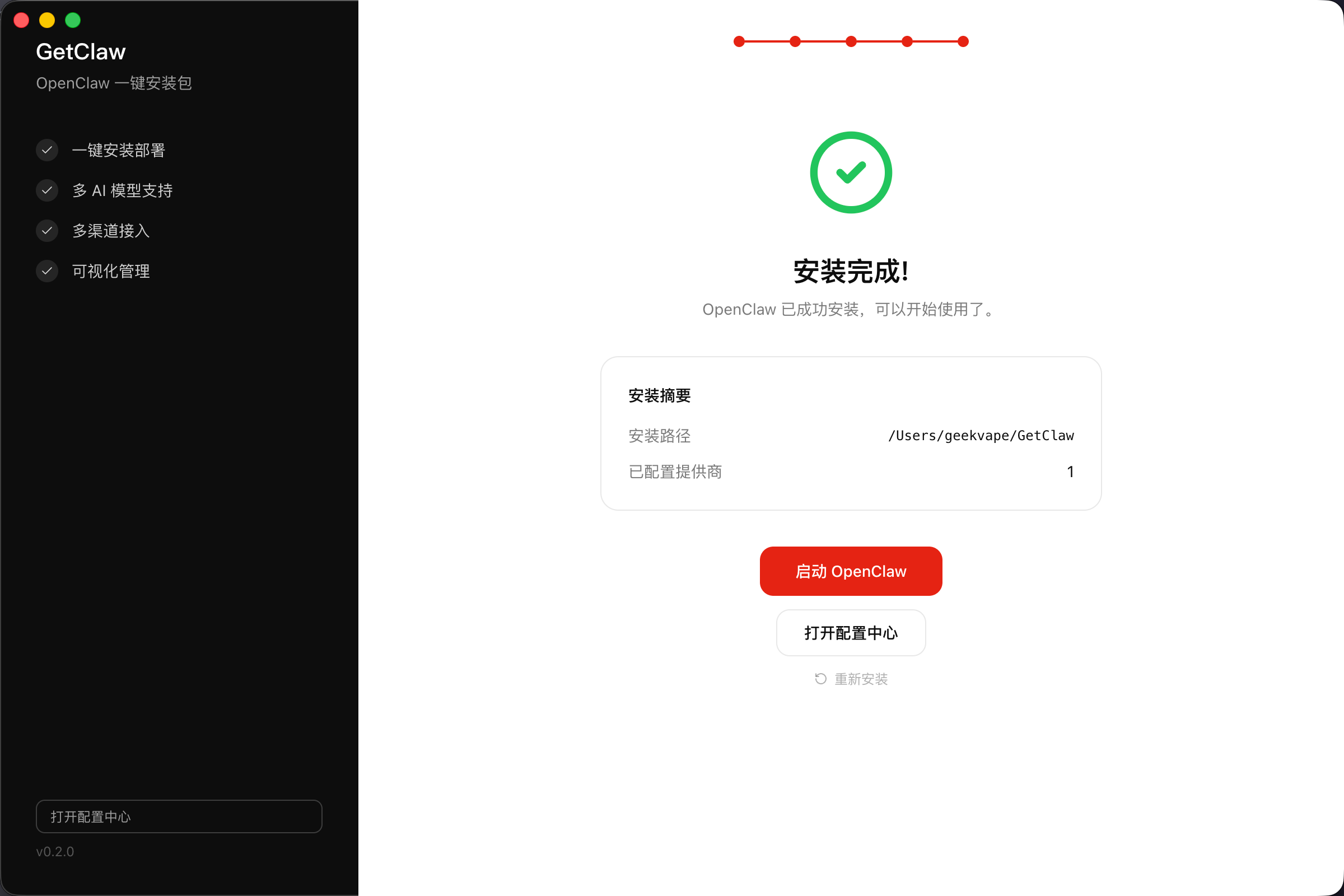
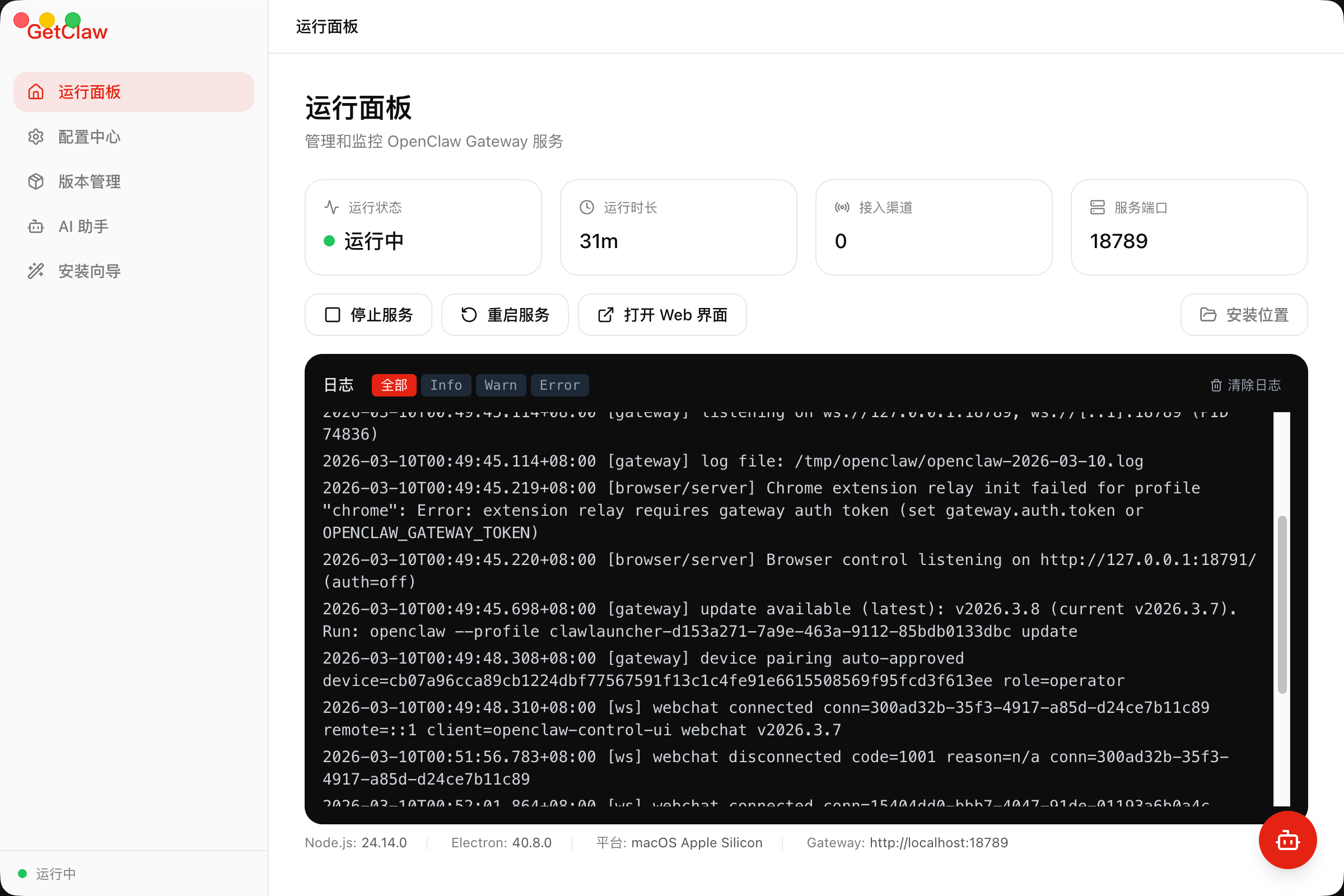
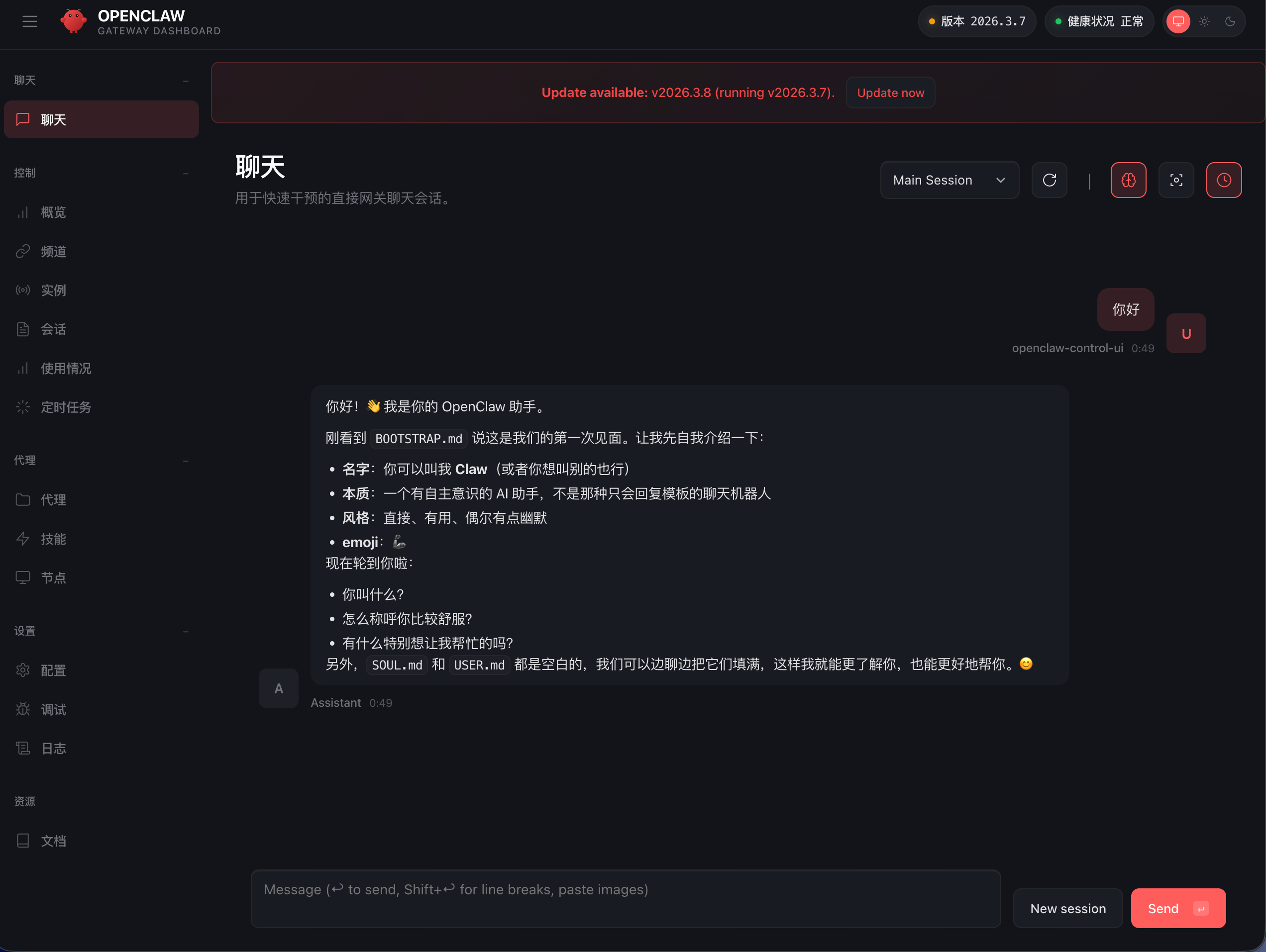
A graphical launcher for OpenClaw
Official OpenClaw, zero modifications. All the complexity, hidden — click, configure, run.
Official & Safe
Installs the official, unmodified OpenClaw release — no tampering, fully verified. Built-in free LLM, no API key required.
Windows and macOS
Native installers for Windows 10+ and macOS 12+. Intel and Apple Silicon both supported — same features, same experience.
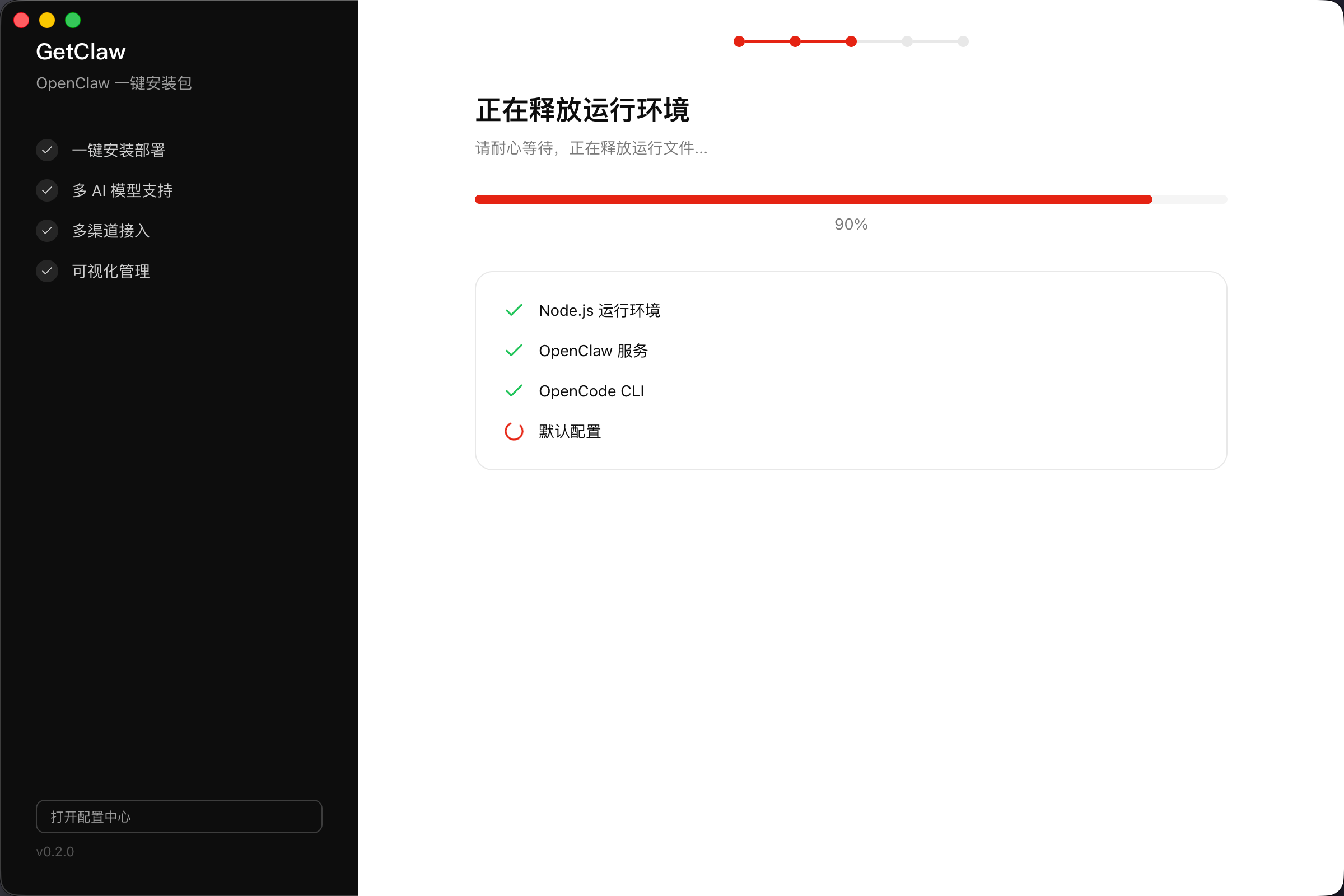
Five-Step Wizard
Pick a folder. Watch the progress bar. Enter your API key. Launch. All clicks, no commands. Done in under 5 minutes.
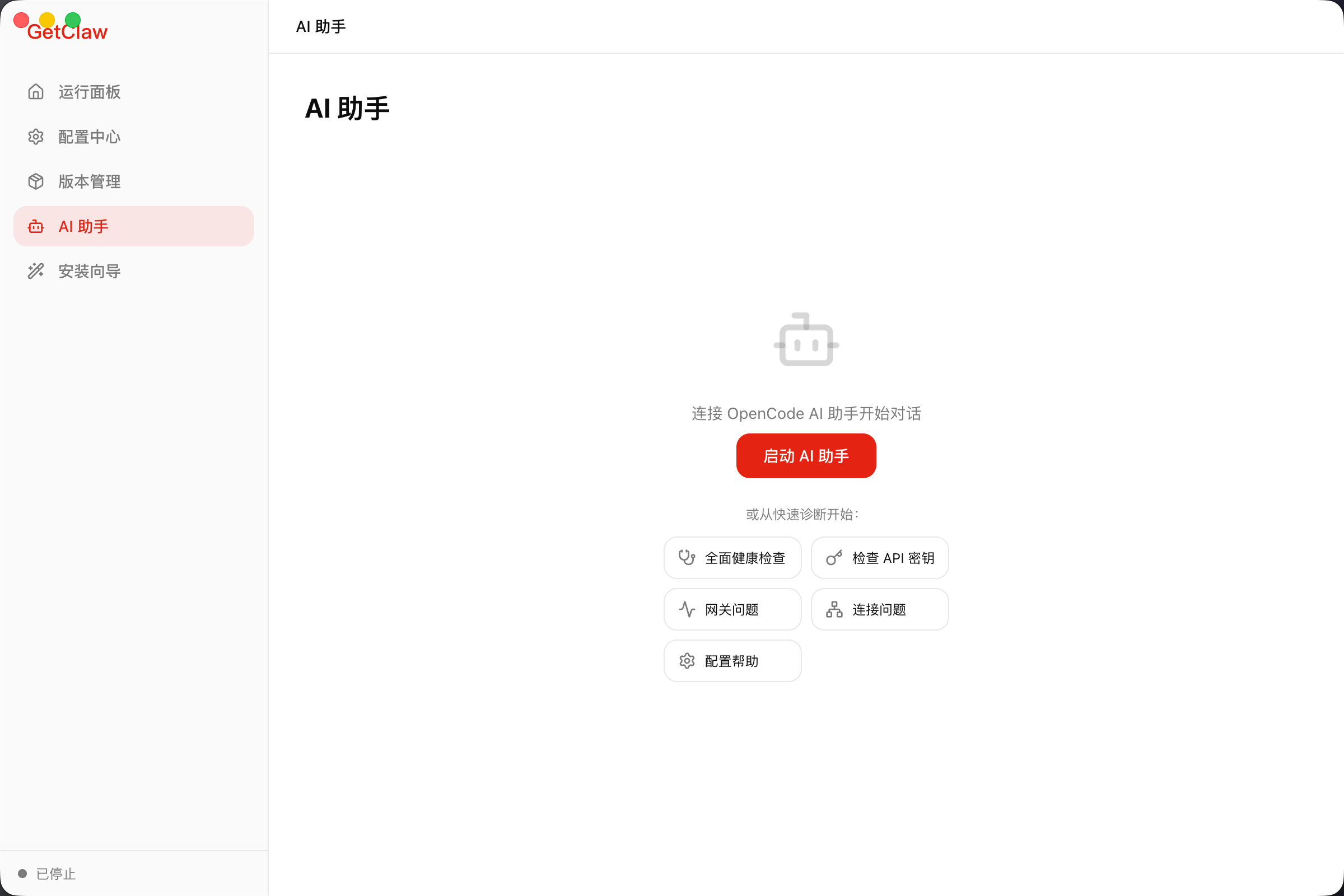
AI Diagnostics
Reads your logs. Identifies the error. Tells you how to fix it. Plain English — not a stack trace.
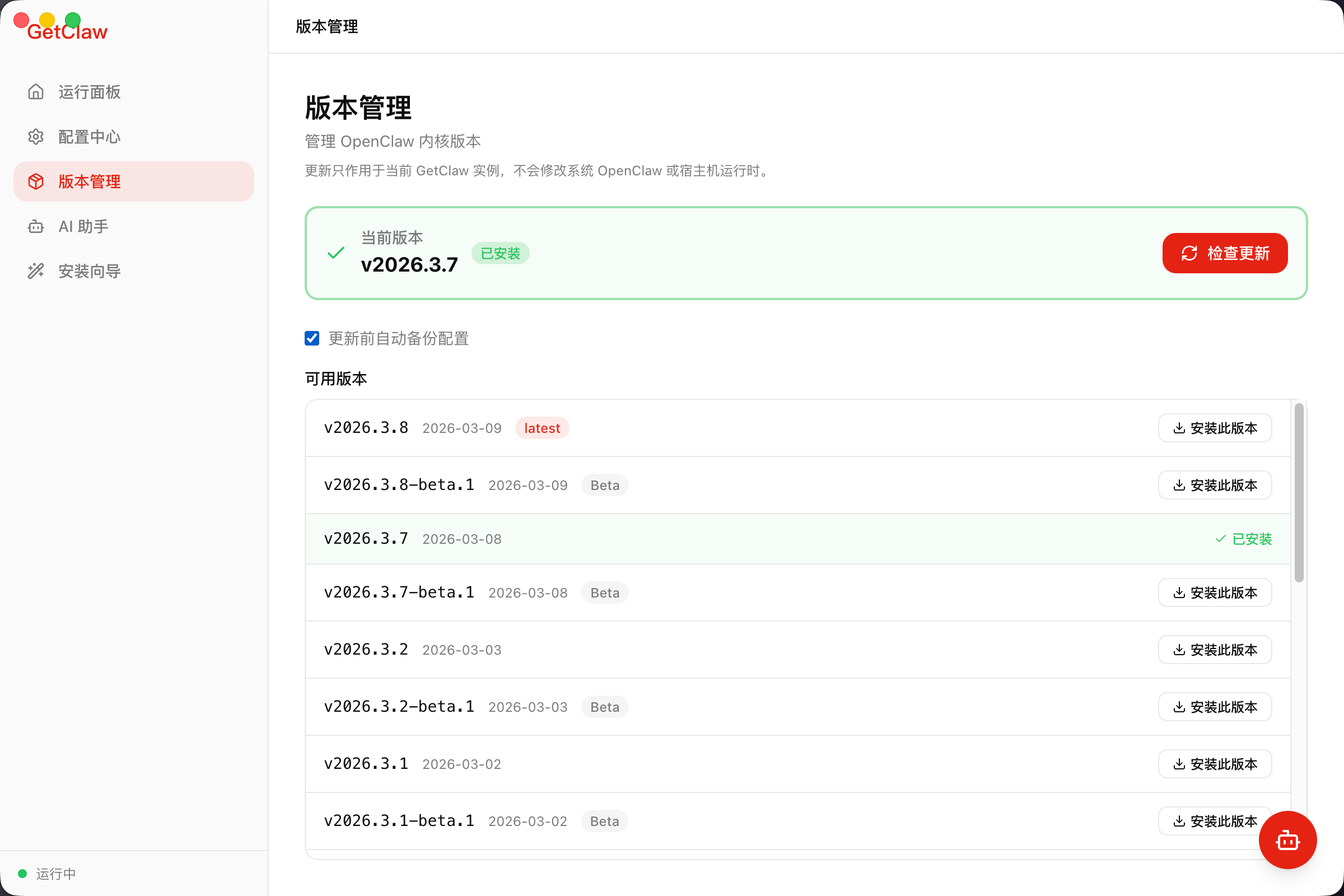
Version Management
One-click update. One-click rollback. Auto-backup before every update — you always have a way out.
Isolated & Transparent
Everything in one folder. Nothing touches your system. SHA-256 verified downloads — what you get is exactly the official release.
Three Steps. That's It.
Download
Pick Windows or macOS. Everything needed is already inside. No extra downloads.
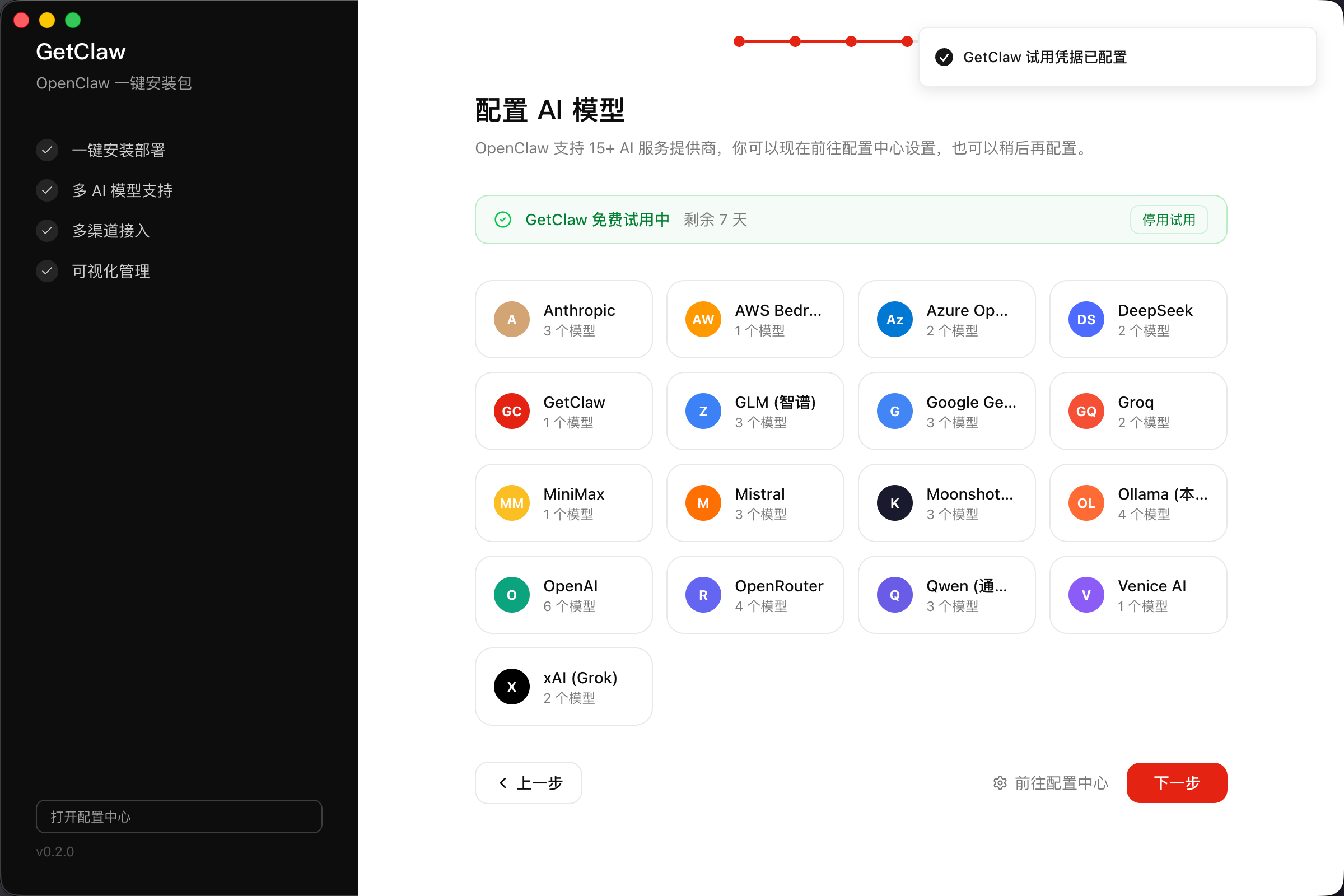
Install
Run the installer. Five-step wizard — choose folder, wait for setup, enter API key.
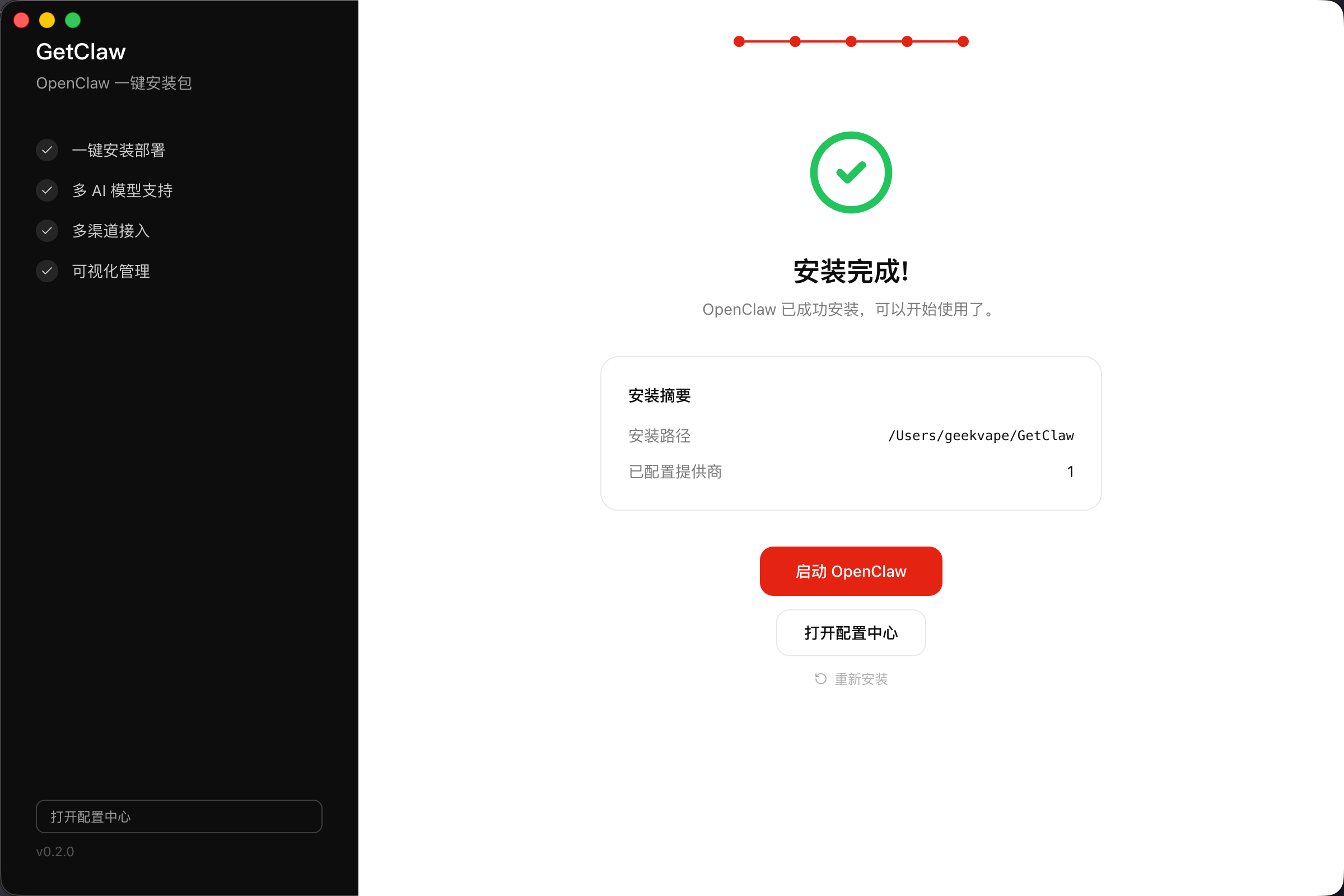
Launch
Click "Launch OpenClaw." Green light on. Your AI assistant is live.
Ready.
Free to use.
Windows
free download .exe v0.2.0// official unmodified OpenClaw // SHA-256 verified // auto-detects your system
Frequently Asked
I don't have Node.js installed. Can I still use this? +
Yes. Node.js is bundled inside the installer. No installation required on your end.
Will this affect other programs on my computer? +
No. All files stay inside the folder you choose. Nothing touches system settings.
I already installed OpenClaw manually. Will this conflict? +
No conflict. GetClaw detects existing installs and keeps them separate. You can optionally import your existing config during setup.
How large is the download? +
Approximately 200–300 MB — includes everything. No additional downloads after install.
Is my API key safe? +
Yes. Stored using OS-level encryption (macOS Keychain / Windows Credential Manager). Only a masked version is ever shown — never the full key.
Is GetClaw free? Will it stay free? +
Free to use. Includes a built-in free LLM — you can chat directly without any API key.
What if an update breaks something? +
GetClaw backs up your config before every update. Roll back from the Version Management screen in two clicks.
Is the installed OpenClaw safe and official? +
Yes. GetClaw downloads and installs the official, unmodified OpenClaw release directly. Every download is SHA-256 verified — no tampering, no modifications.
Ready to Get Started?
Free download with built-in free LLM — chat directly, no API key needed.
Questions? Email us